



Update
Time & Attendance: Real-Time Workforce Visibility
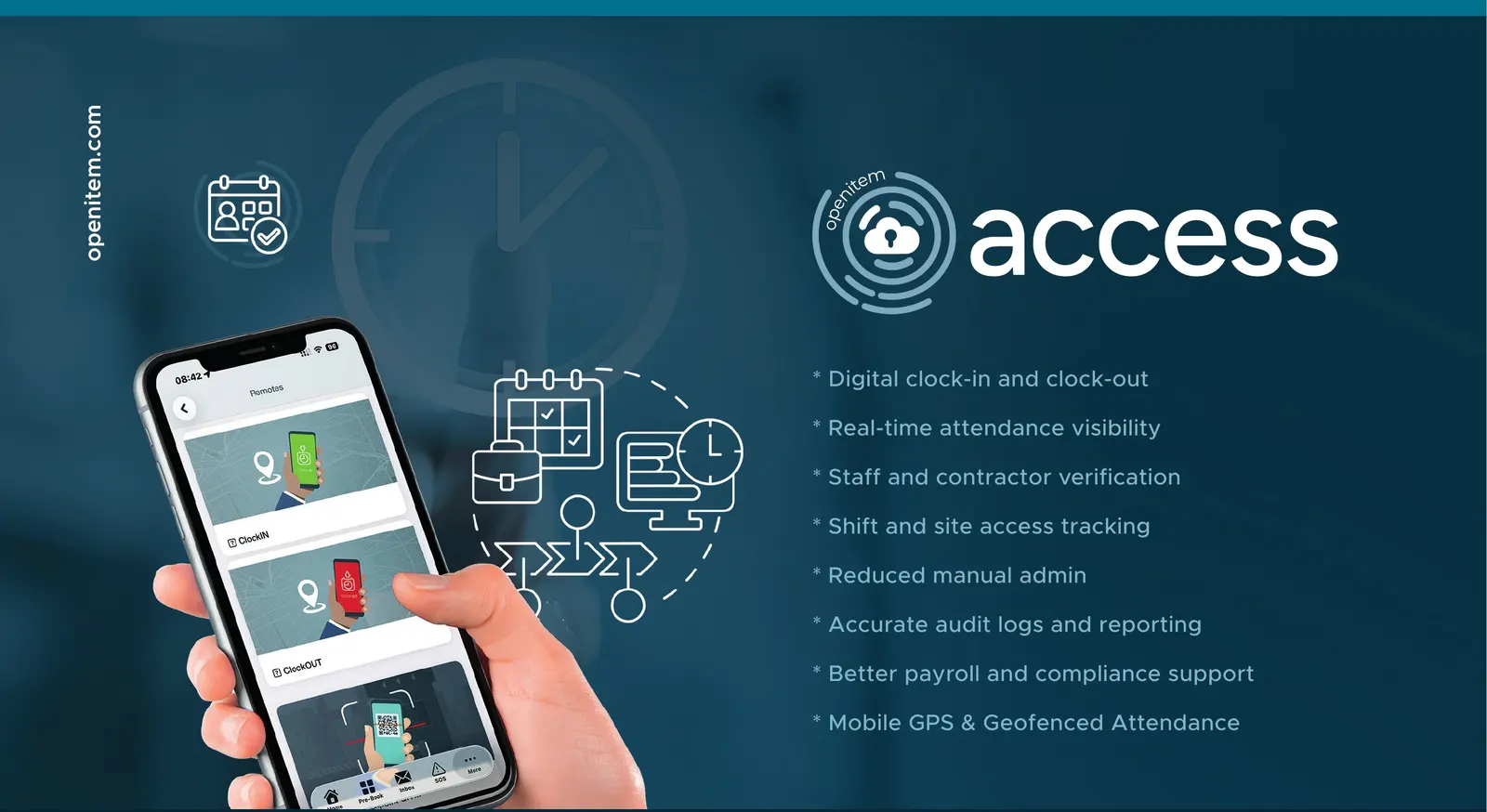
OpenItem’s Time & Attendance solution provides organisations with a secure, intelligent platform for managing workforce attendance, shift accountability and site presence. Employees, contractors, guards and service providers clock in and out digitally, with every attendance event linked to a verified identity, location, timestamp, device and access point.
Supervisors gain real-time visibility of arrivals, departures, overtime, shift completion and workforce presence across multiple sites. Integrated with OpenItem Access Control and GPS services, the platform ensures attendance is only recorded by authorised personnel at approved locations — reducing fraud, eliminating manual registers and creating a complete, auditable record for payroll, compliance and operational reporting.
In short
Clock in by walking inShift RosterLate and absence alertsNight shifts3-page monthly reportExcel export and API
What you get
- Digital clock-in and clock-out
- Real-time attendance visibility
- Staff and contractor verification
- Shift and site access tracking
- Reduced manual admin
- Accurate audit logs and reporting
- Better payroll and compliance support
- Mobile GPS & geofenced attendance
The typical workflow is simple: Registration → Check-In → Verification → Clock-Out → Reporting.
How it works
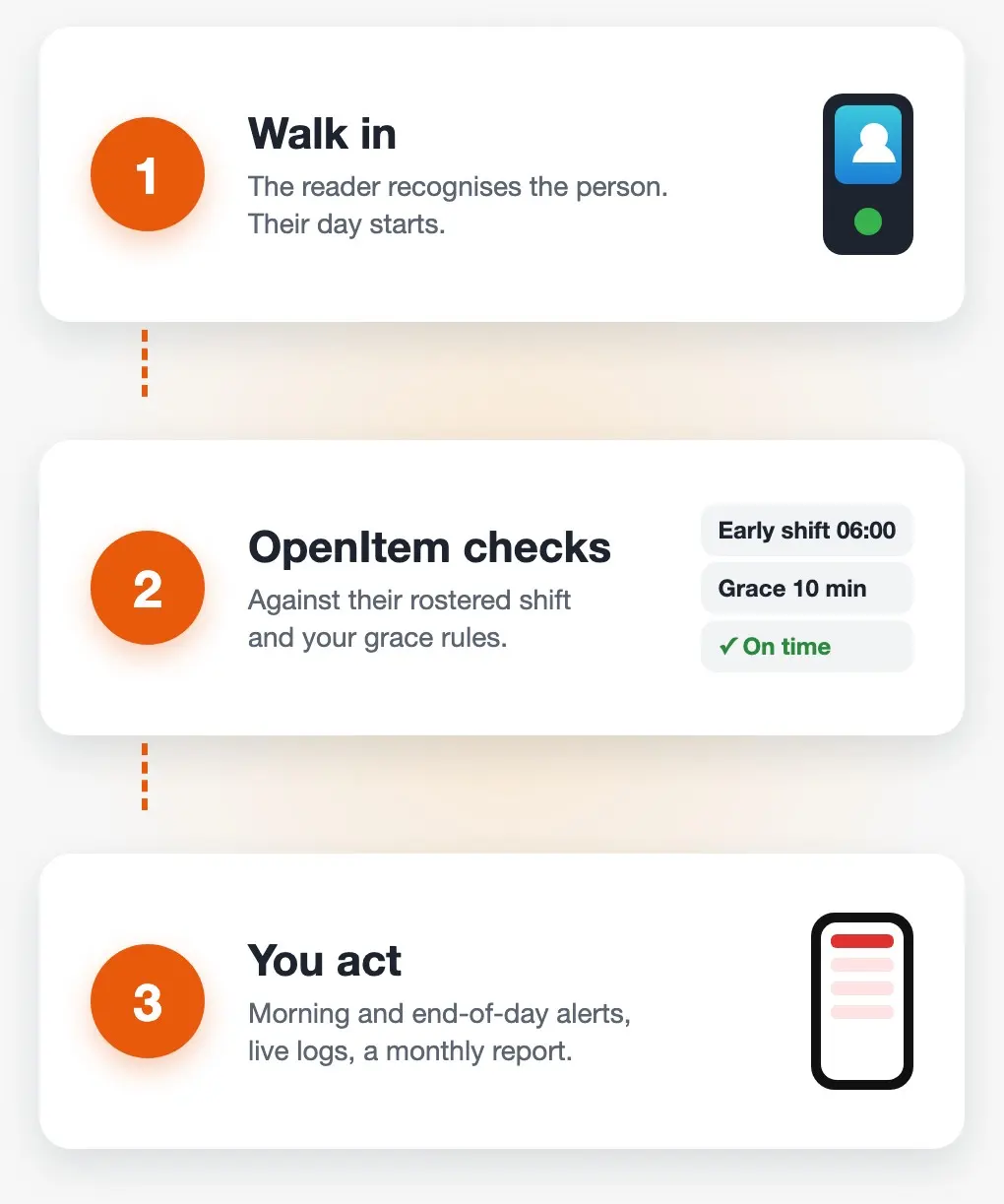
- Walk in. The face reader, card reader or turnstile recognises the person, and their day starts.
- OpenItem checks. Each person is compared with the shift they are rostered on and your grace rules.
- You act. Supervisors get a morning and an end-of-day alert, the logs update as people move, and the month closes with a report ready to print.
Workforce Scenarios
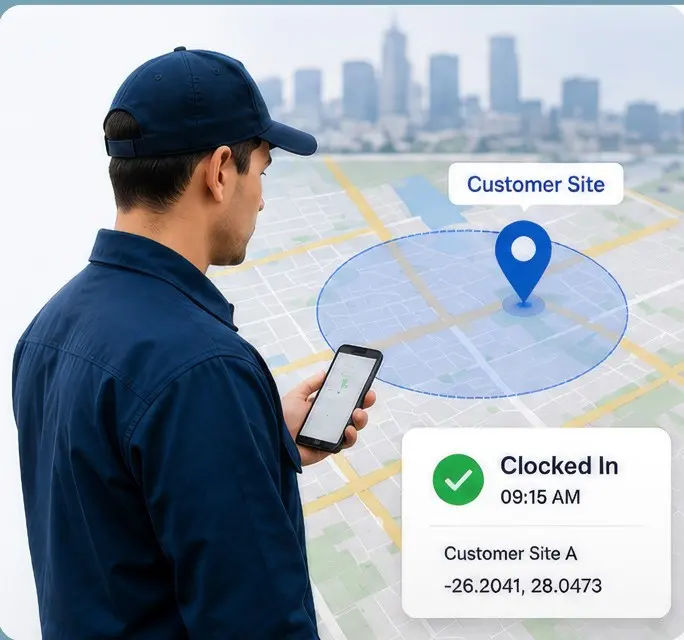
Field Workforce Management
OpenItem enables mobile employees to clock in only when they arrive within approved GPS geofences at customer premises or designated work sites. Ideal for sales representatives, technicians, inspectors, contractors and maintenance teams, every attendance event is linked to the correct location, providing accurate records of visits, time on site and field productivity.
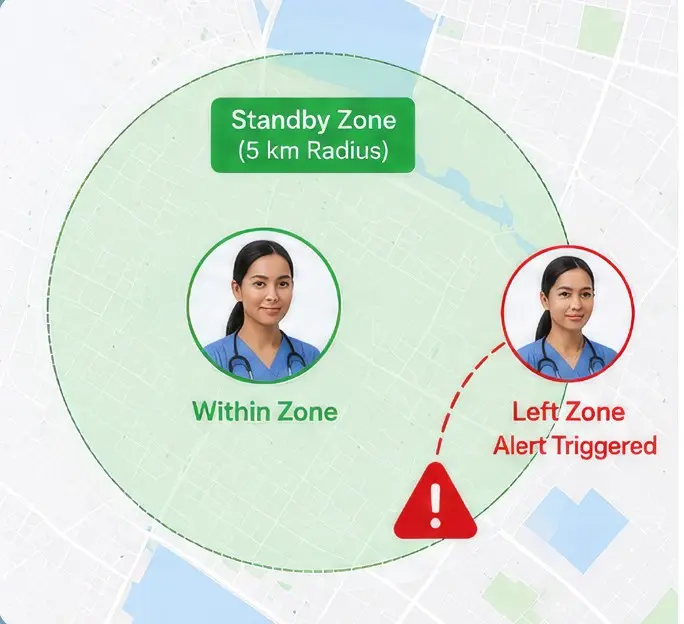
Proximity-Based Standby Management
Organisations can define standby zones for on-call personnel using GPS geofences. Ideal for healthcare, emergency response, security and critical maintenance teams, the platform continuously verifies personnel remain within the required response radius and can generate alerts if they leave — supporting compliance, readiness and service level commitments.
More scenarios
- Office and security staff on one site: office hours with grace minutes, and guards on 12-hour day and night shifts, in the same report.
- Factories and warehouses: early and late shifts rotated weekly, with exceptions checked per shift.
- Estates and facilities: maintenance, garden and admin staff clock in through the same face readers the residents use.
- Multi-site operators: supervisors see their own buildings, and head office sees every site.
The same scans also drive a live who's-on-site wall and evacuation roll call by face, on the same platform.
Attendance Methods
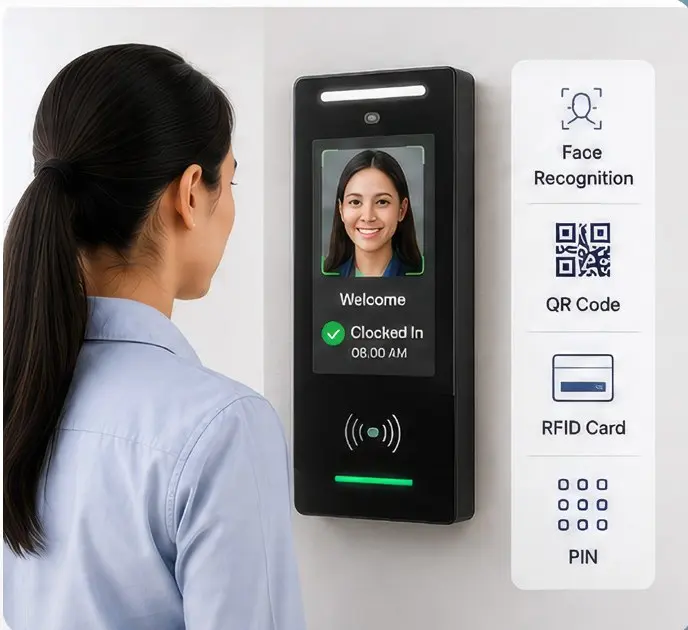
Fixed Readers & Access Control
Employees clock in and out using facial recognition, QR codes, RFID cards or other authorised credentials at fixed access control readers. Every attendance event is linked to a verified identity, reader, location and timestamp, while integrated access control ensures attendance is only recorded at authorised entry points — preventing fraud and buddy punching. Control iD’s iDFace readers are a natural fit for this method — see Control iD: Autonomous Entry, Attendance and Occupancy Management for the devices and their capabilities.
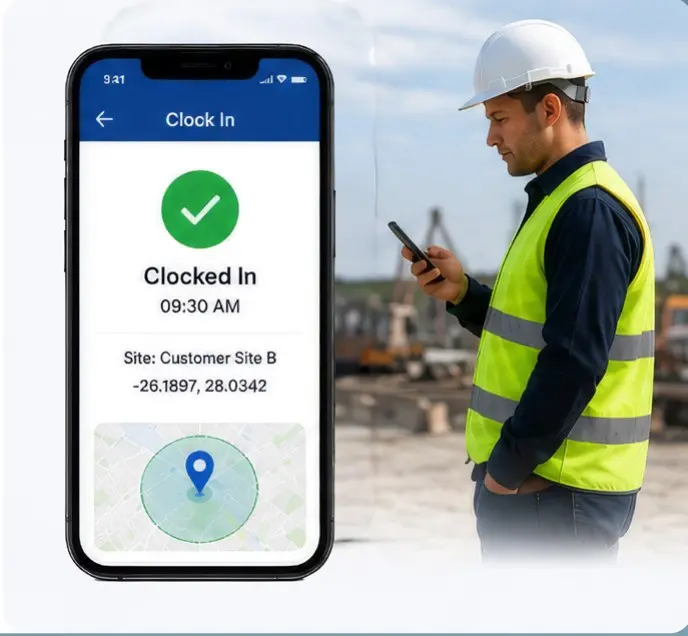
Mobile GPS & Geofenced Attendance
Employees clock in and out using the OpenItem mobile app when they arrive within approved GPS geofences. Every attendance event captures the employee’s verified identity, location, timestamp and device, providing accurate records of attendance, customer visits and field activity while ensuring attendance can only be recorded from authorised work locations.
Clock in by walking in
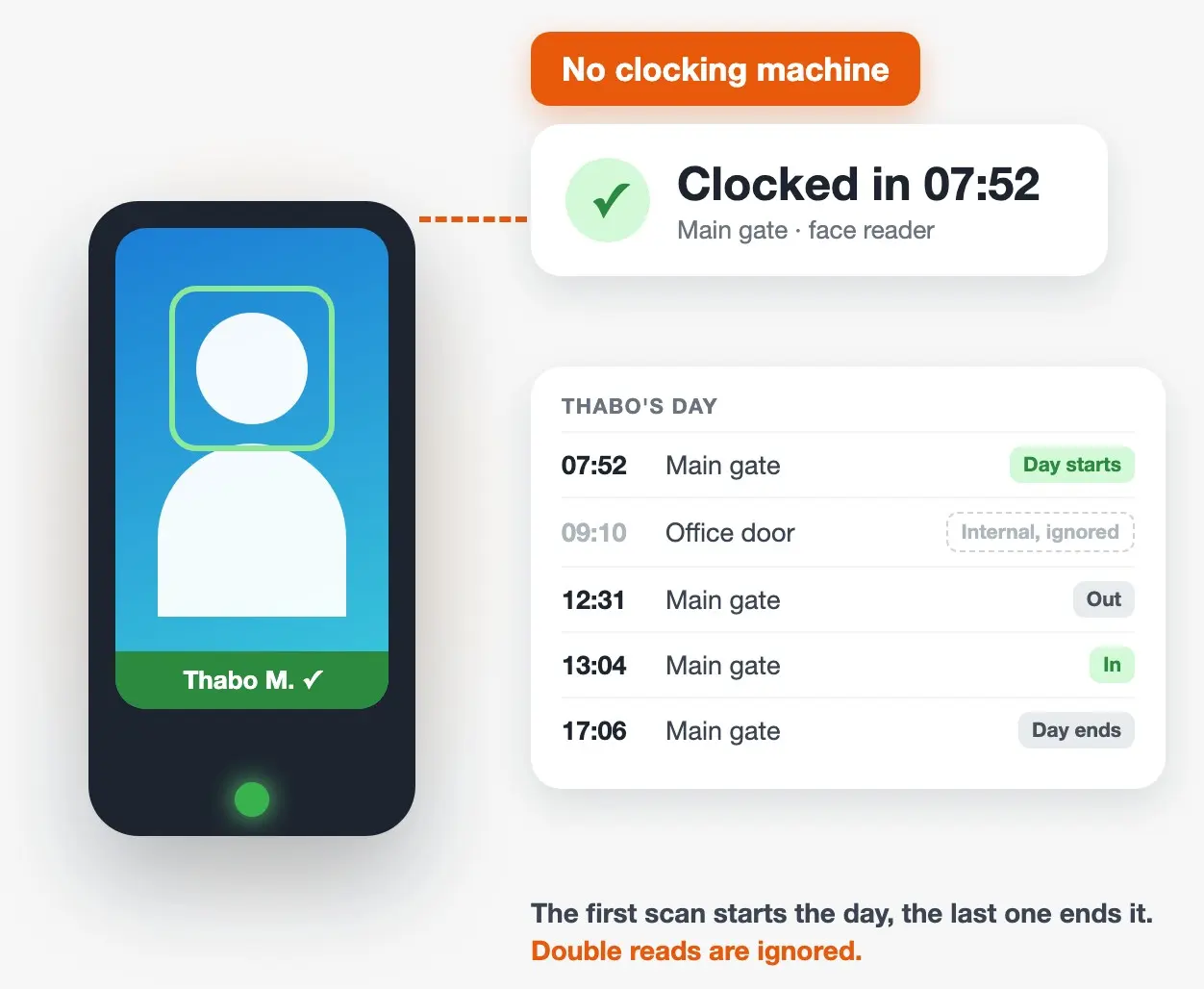
Every entry and exit through a face reader, card reader or turnstile is recorded against the person. The first scan of the day starts their day and the last one ends it, so nobody has to clock in separately. Internal doors don't end anyone's day, and double reads are ignored.
It works with face readers through Wygress (Control iD), TMT and Aratek / TruFace, and with integrated access control such as Impro. See Control iD: Autonomous Entry, Attendance and Occupancy Management for the face readers.
Your rules, your shifts
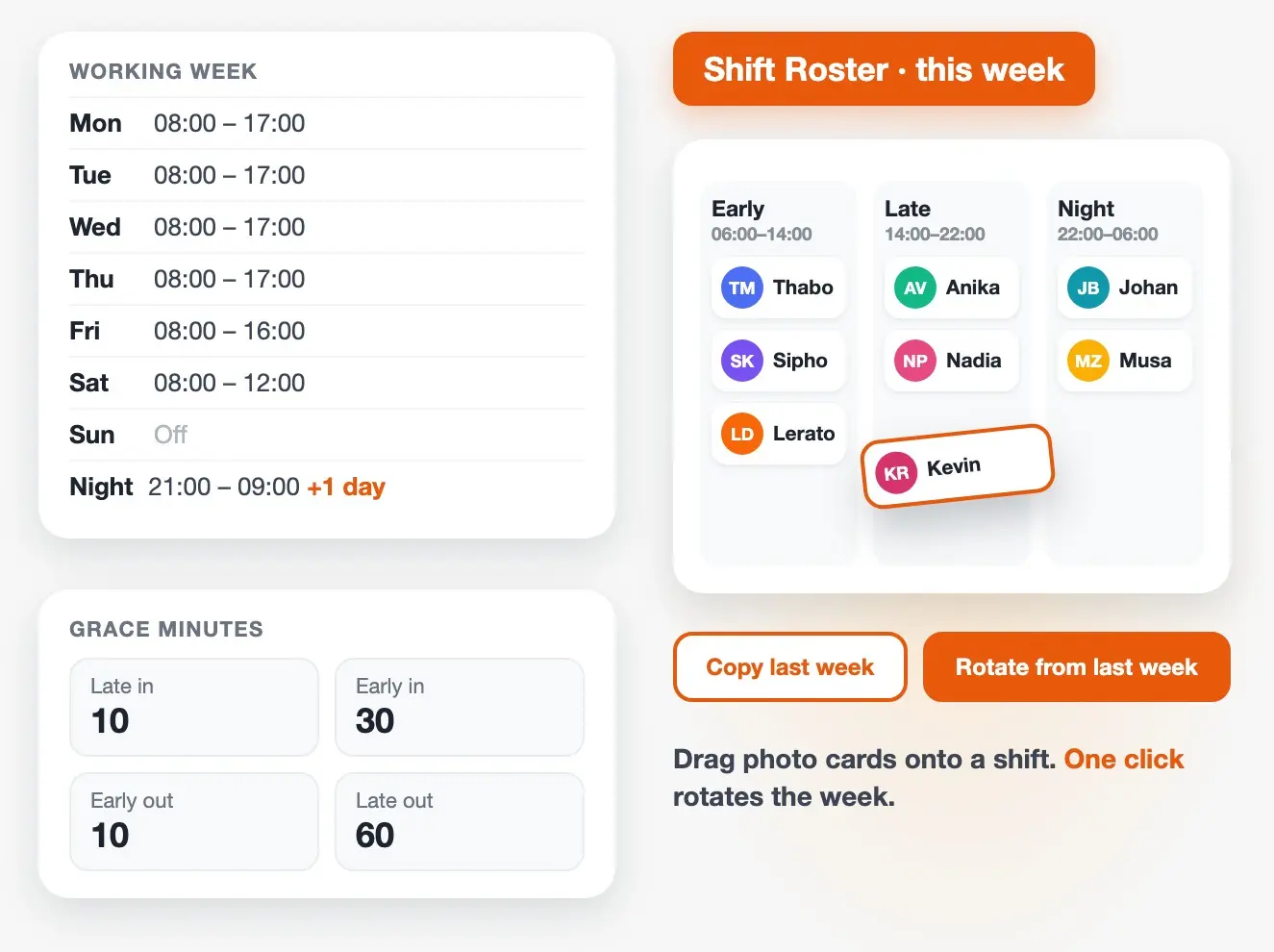
- Working Week. Set the start and end time for each weekday, and the grace minutes allowed for late in, early in, early out and late out. Late means late by your rules, not a fixed 08:00.
- Night shifts. A shift that ends the next morning, such as 21:00 to 09:00, is measured as one shift.
- Shift Roster. Create shifts (for example Early, Late and Night) and drag people's photo cards onto them, week by week. Copy last week and Rotate from last week handle weekly rotations in one click, and a six-week view shows what is coming.
- Who sees whom. Supervisors only see the people in their own buildings, and contractors can be left out.
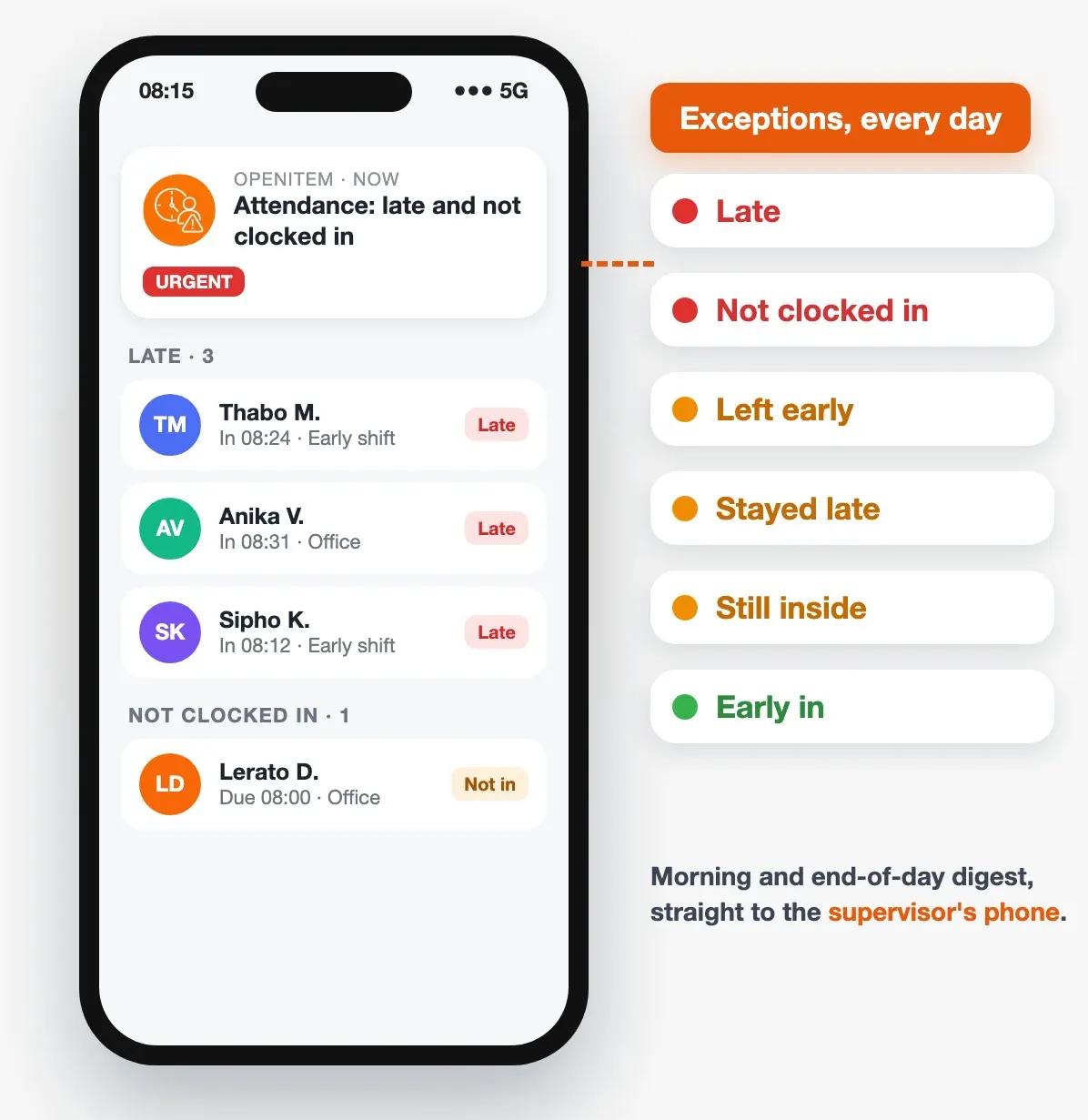
Exceptions, sent to the people who need them
Every day OpenItem checks each person against their rostered shift and flags six kinds of exception:
LateNot clocked inEarly inLeft earlyStayed lateStill inside
A morning digest arrives just after the late-arrival grace, and an end-of-day digest after the shift ends, as an urgent message in the OpenItem app to the supervisors in the exceptions group. They open the list on their phone without logging in: the link is personal and expires after 48 hours. You choose who is checked, for example staff but not contractors.
The Attendance Exceptions report lists every exception with the person's photo, a filter per type, day-by-day navigation and an Excel export.
Time inside, not just time on site
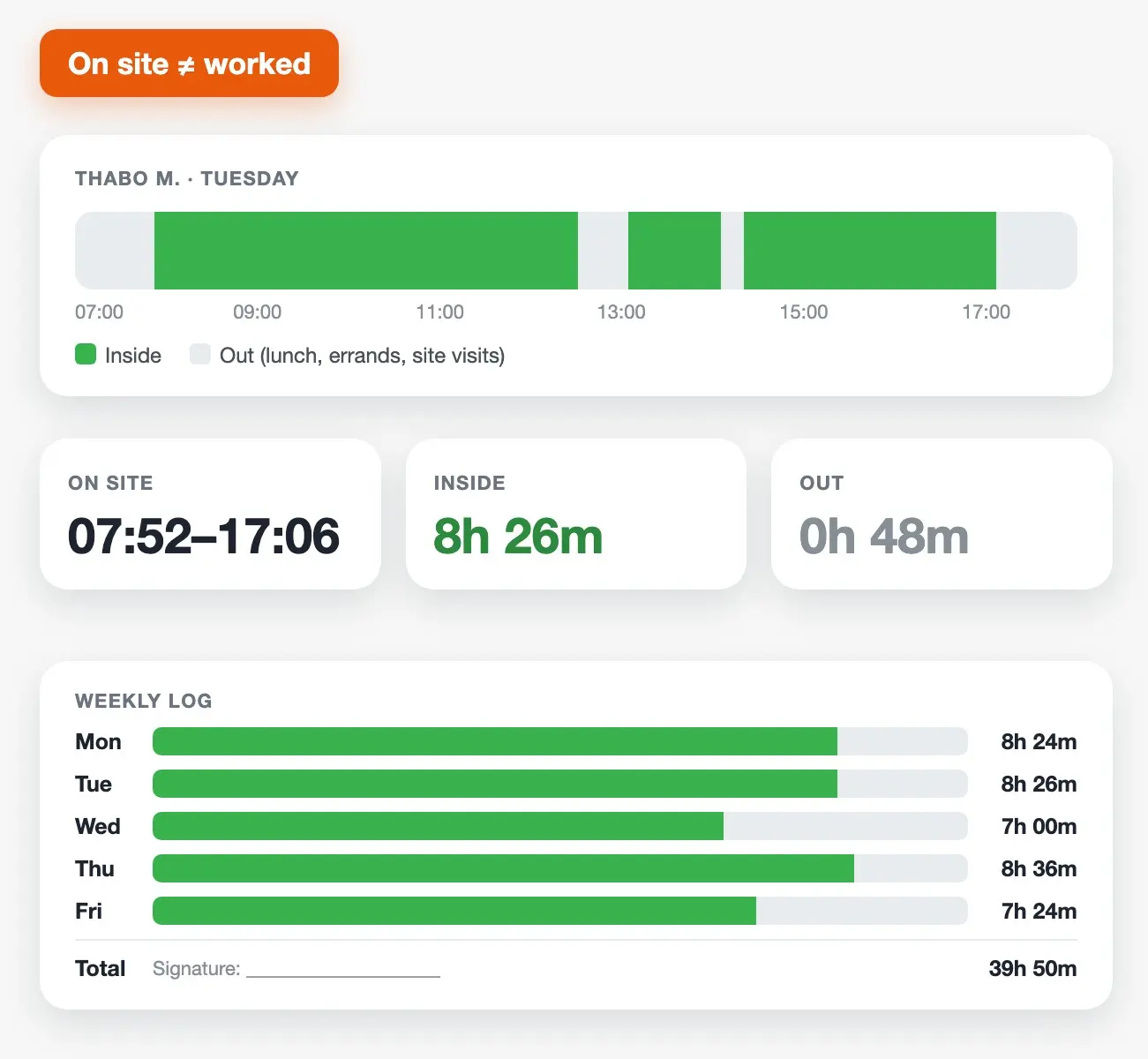
The daily and weekly logs show first in and last out, and also how long each person was actually inside and how long they were out during the day. "On site from 08:00 to 17:00" and "worked nine hours" are not the same thing, and now you can see the difference. Filter by department or group, and print the weekly report for a supervisor to sign.
Monthly Attendance Report
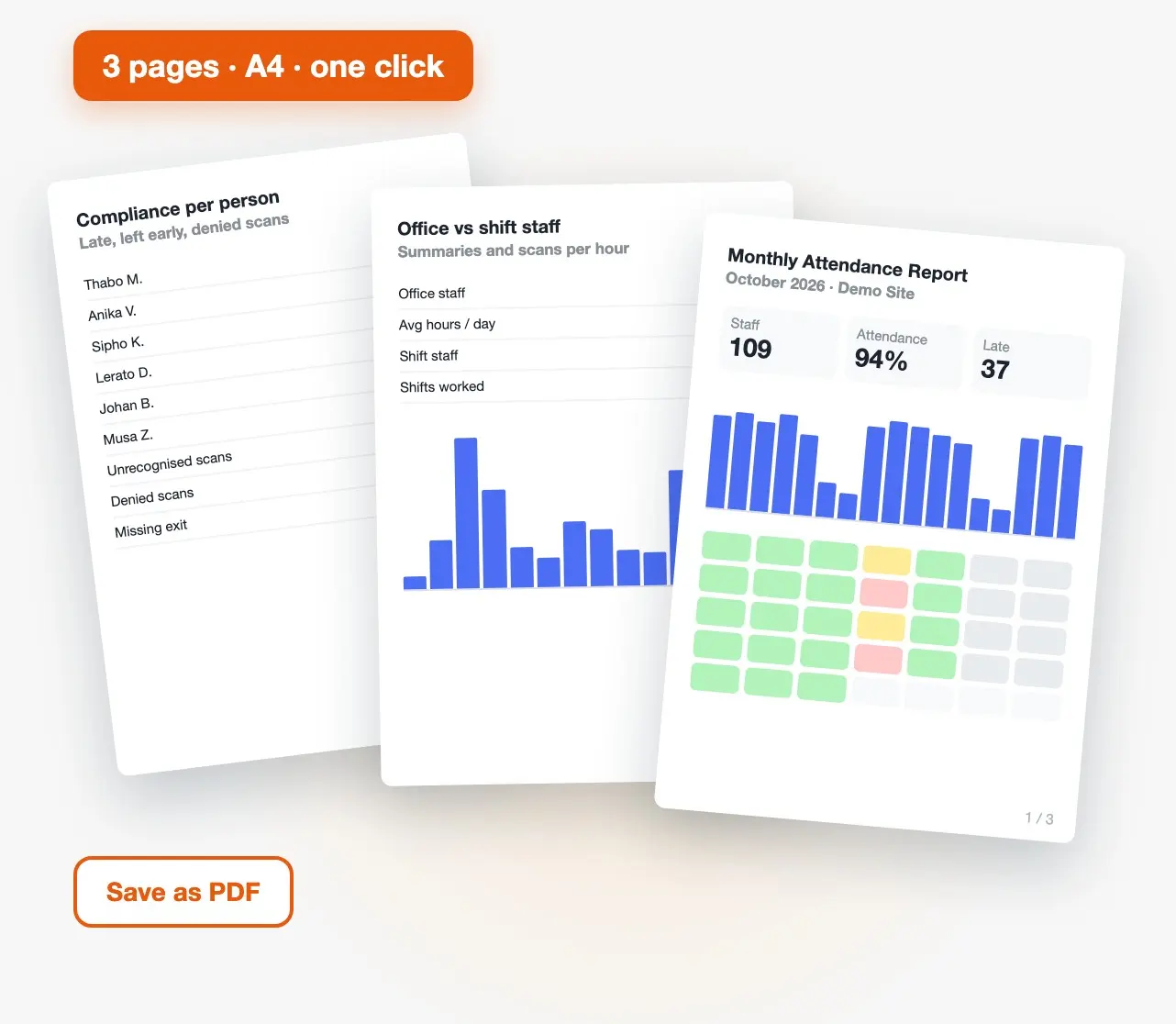
One click gives a print-ready, three-page A4 report for the month (print it or save it as PDF):
- Page 1: headline figures, daily headcount and an attendance calendar.
- Page 2: office and shift staff summaries, and scans per hour.
- Page 3: compliance per person, late arrivals and early departures, unrecognised or denied scans, and scan problems such as a missing exit.
Planned hours come from the Shift Roster, so rotating and night shifts are measured correctly. It replaces the monthly spreadsheet export and the report someone used to build by hand.
Built to be trusted
- Face recognition at the reader, so nobody can clock in for someone else.
- A photo with every scan where the reader supplies one.
- Nothing silently dropped: unrecognised faces and denied scans are counted separately.
- A full audit trail: every record shows who, when, which reader or gate, and how.
- POPIA: photos and personal data stay in your own OpenItem site, with role-based access.
Open for payroll and HR
Every view exports to Excel. The Working Week, shifts, Shift Roster and attendance exceptions are also available through the OpenItem API, so a payroll or HR system can read and update them.
Questions
Do I need new hardware?
Usually not. Time & Attendance uses the face readers, card readers and turnstiles already connected to OpenItem.
Can it handle night shifts?
Yes. A shift that ends the next morning is measured as one shift, and the Shift Roster handles rotations.
How do supervisors get alerts?
In the OpenItem app: a morning digest after the late-arrival grace, and an end-of-day digest after the shift.
Can payroll get the data?
Yes. Every view exports to Excel, and the shifts, roster and exceptions are available through the API.
Is it POPIA-friendly?
Data stays in your own OpenItem site, access is role-based, and supervisors only see their own buildings.
See it with your own readers
A 20-minute demo on demo data: the Shift Roster, an exception alert on a phone, and the monthly report.
Request a consultationTime & Attendance is part of the OpenItem platform — see the Staff Time and Attendance feature for how it fits into your estate or facility.